Table of Contents
The "Professional" Agency That Isn't
Simplify Your Home Care Operations
CareCade helps DDA and HCBS providers manage scheduling, EVV, and billing in one platform.
I visited a home care agency last month. Revenue: $127,000/month. Forty-two caregivers. Serving sixty clients across three counties.
Their office manager showed me their workflow.
For documents: Microsoft Word to create, print, sign by hand, scan, email to families, wait for families to print/sign/scan/return, then scan again to send to case managers.
For time tracking: Homebase. But the reports don't match what's needed for Medicaid billing, so she also keeps an Excel spreadsheet. Two systems. Same data. Entered twice.
For payroll: QuickBooks, starting around $110/month. But even though QuickBooks handles overtime, she still calculates everything in Excel first—cross-referencing with Homebase exports—then enters the final numbers into QuickBooks. Two systems. Same data. Trust issues.
For documents that need signatures: DocuSign. Her templates don't have the agency info pre-filled, so she types it in every time—and half the forms still get printed and scanned anyway, because nothing's connected to anything else.
For scheduling: A combination of Google Calendar (for the visual), Excel (for the "master"), and WhatsApp groups (to notify caregivers of changes). Oh, and Google Workspace with emails for all 42 staff? That's $7.20/user/month × 42 = $302/month just for email and calendar.
For communication: Three WhatsApp groups, occasional text messages, and she admitted "sometimes I just call because it's faster."
For transportation coordination: A printed sheet. Updated daily. Faxed to one facility that still requires fax. Emailed to two others. Called in to one that wants voice confirmation.
For state reports: She opens the DSHS template in Word. Fills it in by hand from data she pulls from her Excel sheets, Homebase, and QuickBooks. Prints it. Signs it. Scans it. Emails it.
Eight systems. Seventy hours per week in the office. $127,000/month in revenue.
"This is how everyone does it," she said.
The Lie We've All Accepted
The home care industry has convinced itself that operational chaos is professionalism. That using "enterprise" tools like DocuSign and QuickBooks means you're running a real business.
But here's what I see (all figures are publicly advertised pricing as of June 2026—check each vendor for current rates):
DocuSign: advertised at roughly $25–$65/user/month, with the Business plan around $65/user/month. Need 3 admins sending documents? That's about $195/month. And still no integration with your other systems. No way to automatically populate documents with data you already have. You're typing the same agency info, the same caregiver info, into every template.
QuickBooks: payroll-capable plans start around $110/month, plus roughly $6/employee/month for payroll. For 42 employees that's about $110 + $252 = ~$362/month. Honestly, QuickBooks is good software. It handles WA L&I, e-files taxes, and generates proper pay stubs—no complaints about the product. But ~$362/month is ~$362/month, and it's still another disconnected system where you manually enter hours from your spreadsheet.
Google Workspace: starts at about $7.20/user/month for Business Starter. Every caregiver needs email for official communication. 42 staff ≈ $302/month. Just for email, calendar, and Google Drive.
Homebase: free for basics, around $30/location/month for the Essentials tier. Sounds cheap—until you realize "location" means a single physical workplace. Your caregivers work at 60 different client homes. Homebase was built for retail shift workers at one store, not caregivers traveling to twelve locations per week. No GPS verification that meets EVV requirements. Reports don't match what Medicaid needs.
Excel / Google Sheets: The duct tape holding everything together. Every agency has "The Spreadsheet." Usually built by whoever was there in 2019. No one fully understands it. Everyone is terrified to break it. And it isn't free—Excel comes bundled in the Microsoft 365 subscription you're already paying for, and Sheets is only free on a personal Gmail (it's part of paid Google Workspace otherwise). Either way, the real cost is the errors and the hours, not the license.
WhatsApp: HIPAA compliant? No. Audit trail? No. Searchable? Barely. Professional? Hardly. But "it's free and everyone has it."
Microsoft Word / Microsoft 365: starts at about $12.50/user/month for Business Basic, up to roughly $22/user/month for Business Premium. For just 5 admin users, that's about $62–110/month. And you're still not creating documents—you're recreating documents. Over and over. For every hire. For every report. For every client.
This isn't professional. It's survival mode at scale.
What This Really Costs You
Let's do the math for that $127K/month agency.
Administrative time: 70 hours/week × $25/hour = $7,000/month in admin labor, just keeping the plates spinning.
Approximate software costs (for 42 caregivers, 5 admin staff, at advertised June 2026 rates):
- DocuSign Business (3 users): ~$195/month
- QuickBooks + Payroll (42 employees): ~$362/month
- Google Workspace (42 staff emails): ~$302/month
- Homebase Essentials: ~$30/month
- Microsoft 365 (5 admin): ~$62/month
- Total: roughly $951/month (the spreadsheets ride on the Microsoft 365 or Google Workspace seats already counted above—no separate line, but not "free" either)
Hidden costs:
- Missed clock-ins requiring manual correction: 3 hours/week
- Payroll errors caught during QC: 2 hours/week
- Scheduling conflicts discovered day-of: 2 hours/week
- Document errors requiring re-send: 2 hours/week
- Total: 9 hours/week = 36 hours/month = $900/month
Real total: $951 + $900 = $1,851/month in visible + hidden costs
But that's not counting:
- The caregiver who quit because schedule changes came via WhatsApp at 10 PM
- The family complaint about documentation they couldn't read
- The billing rejection because time log data didn't match your Medicaid export
- The three hours spent finding a document that's "somewhere in email"
- The case manager who lost confidence because your reports are always inconsistent
You're paying $1,851/month for a patchwork of tools that don't talk to each other. And you think it's "professional" because the tools have recognizable names.
The Paper Chase You Think Is Normal
Here's what happens when you hire someone at a "professional" agency using disconnected tools:
- Create offer letter in Word. Print. Sign. Scan. Email.
- Candidate prints, signs, scans, emails back.
- Create I-9 in Word. Email. Candidate prints Section 1, signs, returns.
- You complete Section 2, print, sign, scan, file.
- Create W-4 in Word. Or use IRS PDF. Email. Candidate completes, signs, returns.
- You enter W-4 data into QuickBooks manually.
- Create direct deposit form. Same process.
- Enter bank info into QuickBooks manually.
- Create HIPAA acknowledgment. Print. Sign. Scan. File.
- Add them to Homebase manually.
- Add them to your scheduling Excel manually.
- Add them to WhatsApp groups manually.
- Create personnel file folder, organize scanned PDFs.
Elapsed time: 4-7 days. Admin time: 3-4 hours per hire.
Now multiply by the 6 caregivers you need to hire every month just to keep up with turnover.
18-24 hours/month just onboarding. Plus the 3-4 day delay before they can work. Plus the errors when data is entered wrong in step 6, 8, 10, 11, or 12.
And you're calling this a system.
The State Report Nobody Wants to Talk About
Every month. Or every quarter. The DSHS report comes due.
Here's what happens:
- Open the Word template you've been using since 2021.
- Pull hours data from Homebase. No, wait—Homebase doesn't track by client. Pull from Excel.
- Pull payroll data from QuickBooks. Export to CSV. Import to Excel. Try to match it up.
- Realize the service codes don't match because you updated services for one client but forgot to update your tracking sheet.
- Manually reconcile for 45 minutes.
- Fill in the Word document by hand, copying numbers.
- Print. Sign. Scan.
- Email to the case manager.
- Wait for questions because something doesn't match their records.
- Find the discrepancy. It was in step 3. Or step 5. Or both.
- Re-do the report. Print. Sign. Scan. Email.
Elapsed time: 2-4 hours per report. Sometimes 6 hours when there's a discrepancy you can't find.
And this is for an agency making $127,000/month.
You should have a button that says "Generate Report" and it just... works. Because the system already has all the data.
The Uncomfortable Question
If you're generating $50,000-$150,000+ per month in revenue—if you have 20, 30, 40+ caregivers—if you're serving real families and employing real people—why are you running operations like a craft business?
Craft businesses use 6 apps because they're figuring it out. They're one-person shows. They're pre-revenue or barely profitable.
You're not a craft business anymore.
But your operations are.
What Actually Works
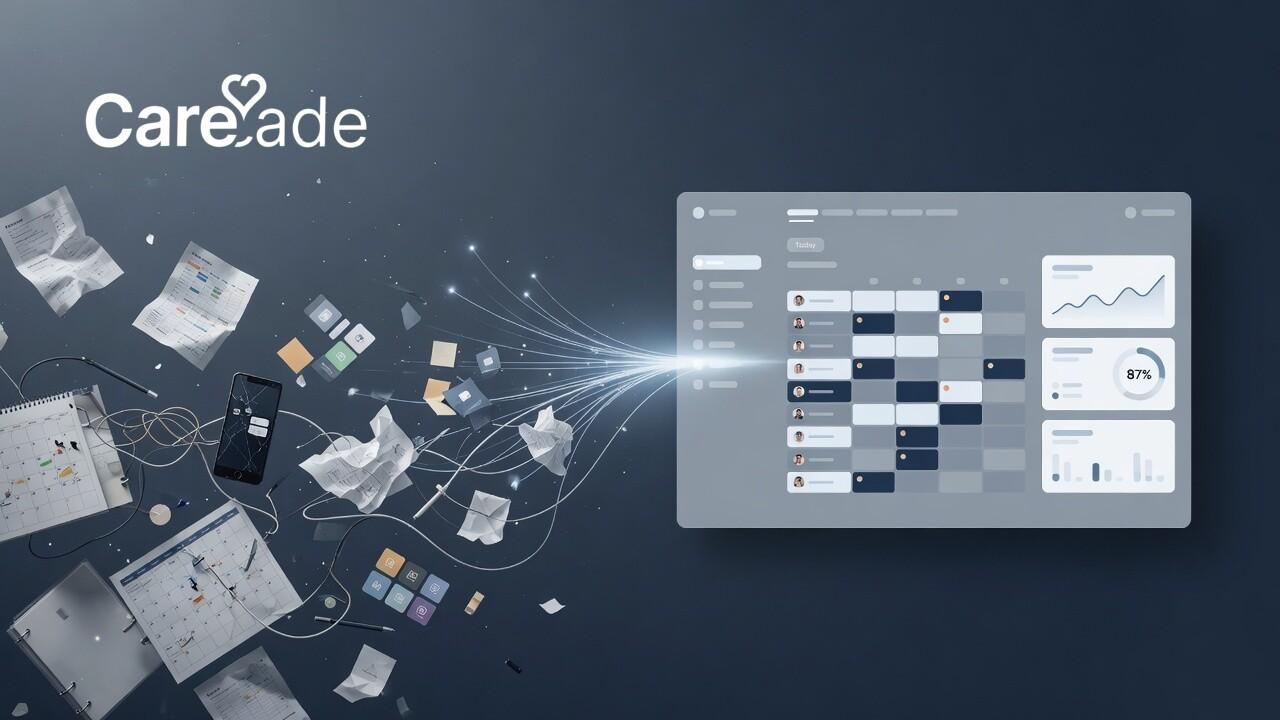
One system. One source of truth. Everything connected.
When a caregiver clocks in:
- Time log is created automatically
- GPS verification confirms location
- Billing calculation happens in real-time
- Payroll data updates immediately
- State reports can be generated with one click
- Family portal shows the visit happened
- Case manager can see it instantly
When you hire someone:
- Offer goes out digitally
- I-9, W-4, HIPAA, direct deposit all digital, legally compliant
- Candidate signs from their phone in 15 minutes
- You verify Section 2 from your computer
- Signed PDFs auto-generated with your branding
- Payroll configured automatically from W-4 data
- Account created automatically when onboarding completes
- They get login credentials and can see their schedule same day
When the state report is due:
- Click "Generate Report"
- PDF generates with all your data, formatted correctly
- Email to case manager or export for submission
- Done in 30 seconds instead of 4 hours
This isn't a vision. This is what we built. Because we lived the chaos first.
CareCade Has Evolved: Down to Two Outside Systems
When we first built CareCade, the goal was simple: stop the duct tape. We've gone further than that.
Today, a CareCade agency relies on exactly two systems outside the platform:
- Your bank account — to actually move the money.
- ProviderOne — Washington's Medicaid portal, where your claims are submitted.
Everything else lives inside CareCade.
Payroll, without a payroll company. CareCade calculates payroll end to end: gross-to-net pay, federal income tax withholding, Social Security and Medicare (employee and employer), and overtime. It generates real paystubs automatically and issues W-2s at year end. A built-in Tax Center shows exactly what you owe the IRS—and when. You don't need Gusto, ADP, or QuickBooks Payroll, and you don't hand your money to a third-party processor. CareCade does the math and the paperwork; you send the ACH yourself from your own business bank account in a few clicks and stay in control of your funds.
Billing, straight to ProviderOne. Your visits are already verified and logged at the point of care. CareCade turns them into the billing export ProviderOne expects, so the only billing system you ever touch is the state's—no spreadsheets, no re-keying.
That's the whole stack: CareCade, your bank, and ProviderOne. No QuickBooks. No ADP. No DocuSign. No Homebase. No "master" spreadsheet that only one person understands.
The Cost of Staying Fragmented
Every month you run on disconnected tools is another month of:
- Admin hours burned on data entry that software should handle
- Errors compounding because humans copy-paste between systems
- Caregivers frustrated by WhatsApp schedule chaos
- Families wondering what's actually happening with their loved one
- Case managers losing confidence in your professionalism
- You staying stuck at 60-70 hours/week when you should be at 40
You didn't build a $100K+ agency to spend your life reconciling spreadsheets.
One System. Not Six.
CareCade replaces:
- DocuSign → Built-in ESIGN-compliant e-signatures with auto-populated PDFs
- QuickBooks / ADP / Gusto Payroll → Native payroll: gross-to-net, federal withholding, Social Security and Medicare, automatic paystubs and W-2s, and a Tax Center showing what to remit to the IRS—you send the ACH from your own bank, no processor, no per-employee fees
- QuickBooks Bookkeeping → Bank-connected bookkeeping, auto-categorization, and one-click P&L
- Homebase → GPS clock-in/out that meets EVV requirements
- Excel scheduling → Visual scheduler with conflict detection
- WhatsApp → HIPAA-compliant team chat with read receipts
- Word documents → Auto-generated forms, reports, and state filings
- Separate billing tools → ProviderOne-ready Medicaid billing export, straight from verified visits
One login. One source of truth. Everything connected.
Your admin time drops. Your error rate drops. Your caregivers see their schedules instantly. Your families see care happening in real-time. Your case managers get accurate reports without phone calls.
And you can finally run your business instead of duct-taping it.
You've Earned a Real System
If you're generating $50K/month+ and serving real families, you've earned better than WhatsApp schedules and Excel chaos.
The question isn't whether you can afford a unified platform.
The question is whether you can afford to keep duct-taping.
See the Difference
We'll show you what your operations look like when everything actually connects. No sales pitch—just your workflows, done right.
Or start your free trial → and see for yourself.
Related Articles
- Why I Built CareCade: A Father's Question
- Digital Onboarding: Hire Caregivers in Hours, Not Days
- Best Home Care Software 2026: Complete Guide
- How to Start a Home Care Agency in Washington
- Grow Past Yourself: An Operator's Playbook for Running a Home Care Agency
- HIPAA Compliance for Home Care Agencies
All third-party pricing in this article reflects publicly advertised rates as of June 2026 and is provided for general comparison only; it may have changed—verify current pricing directly with each vendor. Product names and trademarks belong to their respective owners and are referenced for identification and comparison purposes; their use does not imply any affiliation with or endorsement of CareCade.
Frequently Asked Questions
Does CareCade replace QuickBooks, ADP, and Gusto for payroll?
Yes—for the payroll math and the paperwork. CareCade calculates gross-to-net pay, federal withholding, Social Security, and Medicare, generates paystubs automatically, issues W-2s, and shows your IRS tax liability in a built-in Tax Center. It doesn't move money for you: you send the ACH directly from your own business bank account, so there's no third-party payroll processor and no per-employee processing fees.
Do I still need a separate system to bill Medicaid?
In Washington, the only external billing system you need is ProviderOne. CareCade verifies and logs every visit at the point of care, then produces the billing export ProviderOne expects—so you're not re-entering data from spreadsheets or reconciling exports.
What outside systems does a CareCade agency actually depend on?
Two: your bank account (to send payroll and receive payments) and ProviderOne (to submit Medicaid claims). Scheduling, EVV time tracking, payroll tax calculation, paystubs, W-2s, e-signatures, documents, state reports, and team chat all live inside CareCade.
Is CareCade's e-signature legally compliant?
Yes. CareCade's built-in e-signatures are ESIGN- and UETA-compliant, with a full audit trail (IP address, timestamp, and user agent captured on every signature), so you can onboard caregivers and sign I-9, W-4, HIPAA, and direct deposit forms without DocuSign.
How much can an agency save by consolidating tools?
A typical 40-plus-caregiver agency spends roughly $950/month across DocuSign, QuickBooks plus payroll, Google Workspace, Homebase, and Microsoft 365—plus another ~$900/month in hidden admin time fixing errors between disconnected systems. Consolidating onto one platform removes most of both.